Disk image creation tool
SimplyDisk is a free utility tool developed by Oaksoft for desktop devices. This software helps users create custom disk images through a simple and intuitive user interface. It can also be used to convert existing ones to other images formats for other programs or purposes.
Top Recommended Alternative

SimplyDisk works similarly to other tools like DEAMON Tools or iDMG to create disk images easily. What makes it stand out is its added level of customization options that let users add text or images. A License feature can be used to add a license agreement for distribution purposes.
How do I use it?
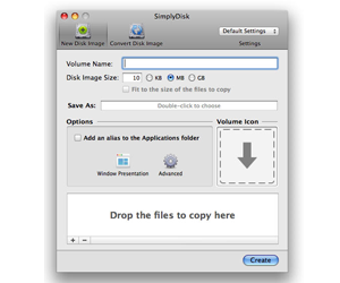
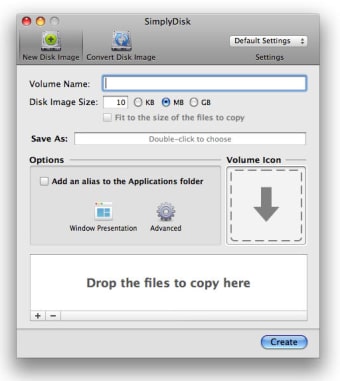
SimplyDisk has a simple and compact user interface that features two tabs up top for either New Disk Image or Convert Disk Image. Regardless of which one you choose, you simply have to drag and drop your files into the program window to start right away. The next window will show various options, such as setting a volume name, disk image size, and file format.
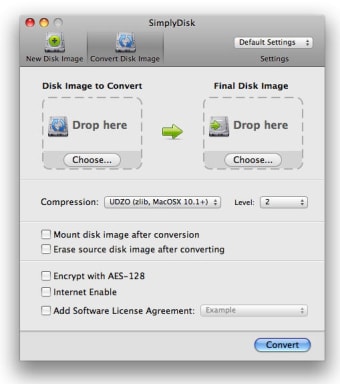
On the conversion side of things, SimplyDisk will let you use various compression methods or add AES-128 encryption to existing image files. There is an option to add a software license agreement, as well, in case you will be distributing multiple copies of your created disk image to other users. There are also options to mount your disk or delete the source image after converting.
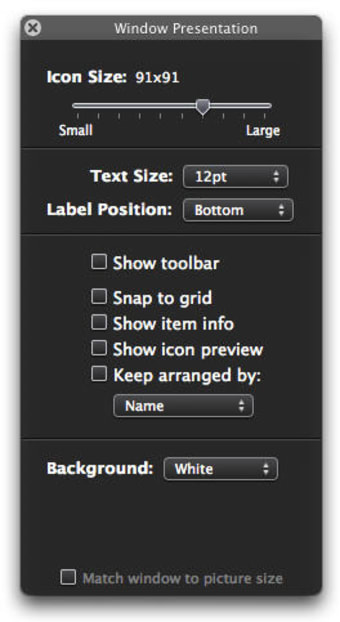
As mentioned earlier, you can add images or text to your images, and this will come in handy if you want to have custom graphics for your disks or to write up instructions on how to use them. However, keep in mind that this program has not been updated for some time now. You can still use it as is, just don't expect any new features to arrive.
Simple and easy image disk creation
In summary, if you're looking for a fast and simple way to create or convert disk images, SimplyDisk is a decent choice to consider. It's fast, easy to use, and the customization options are nice additions that many will appreciate. It's a bit outdated at this point, but if you don't mind that, it's worth giving a try.